Chapter 6: Improving templates
In this chapter, we will improve our templates and learn some useful techniques. These will prepare us to add and edit movie entries in chapter 7.
Customize error pages
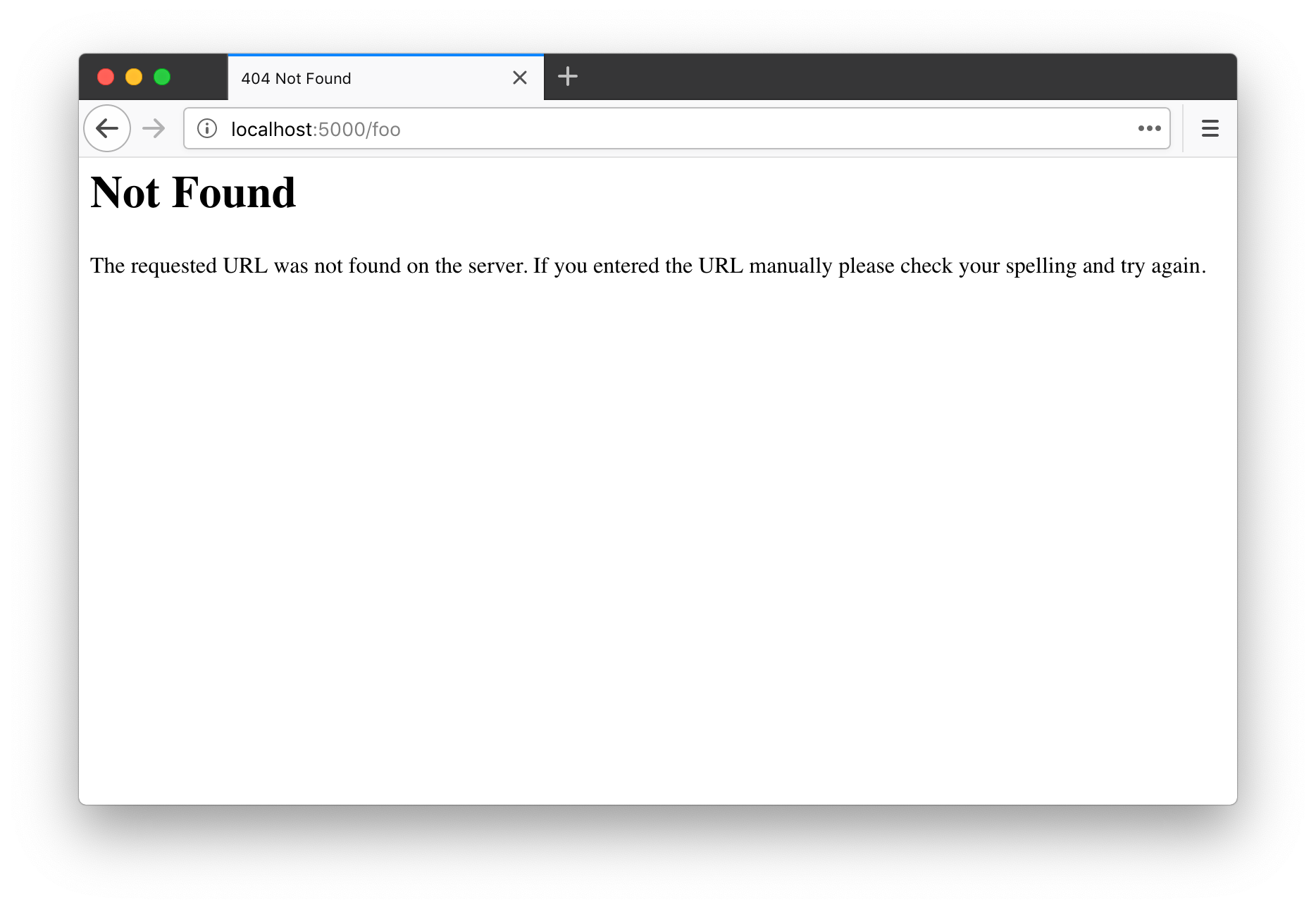
Let's start by creating an error page for Watchlist. If you visit a URL that does not exist, such as /hello, Flask automatically returns a 404 error response. Its default error page is rather plain:
Customizing an error page in Flask is straightforward. First, write a template for the 404 page:
templates/404.html: the 404 error page template
<!DOCTYPE html>
<html lang="en">
<head>
<meta charset="utf-8">
<title>{{ user.name }}'s Watchlist</title>
<link rel="icon" href="{{ url_for('static', filename='favicon.ico') }}">
<link rel="stylesheet" href="{{ url_for('static', filename='style.css') }}" type="text/css">
</head>
<body>
<h2>
<img alt="Avatar" class="avatar" src="{{ url_for('static', filename='images/avatar.png') }}">
{{ user.name }}'s Watchlist
</h2>
<ul class="movie-list">
<li>
Page Not Found - 404
<span class="float-right">
<a href="{{ url_for('index') }}">Go Back</a>
</span>
</li>
</ul>
<footer>
<small>© 2018 <a href="http://helloflask.com/book/3">HelloFlask</a></small>
</footer>
</body>
</html>
Next, register an error handler with the app.errorhandler() decorator. It works much like a view function: when a 404 error occurs, Flask calls it and uses its return value as the response body:
app.py: the 404 error handler
from sqlalchemy import select

@app.errorhandler(404)  # Specify the error code to handle
def page_not_found(error):  # Accept the exception object
    user = db.session.execute(select(User)).scalar()
    return render_template('404.html', user=user), 404  # Return the rendered template and status code
Tip Unlike the view functions we wrote earlier, this function includes a status code as the second item in its return value. Ordinary view functions do not need to specify one because the default is 200, meaning success.
The handler returns the rendered error template. Since the template uses user, we pass that variable too. Visit a nonexistent URL to see the custom error page:
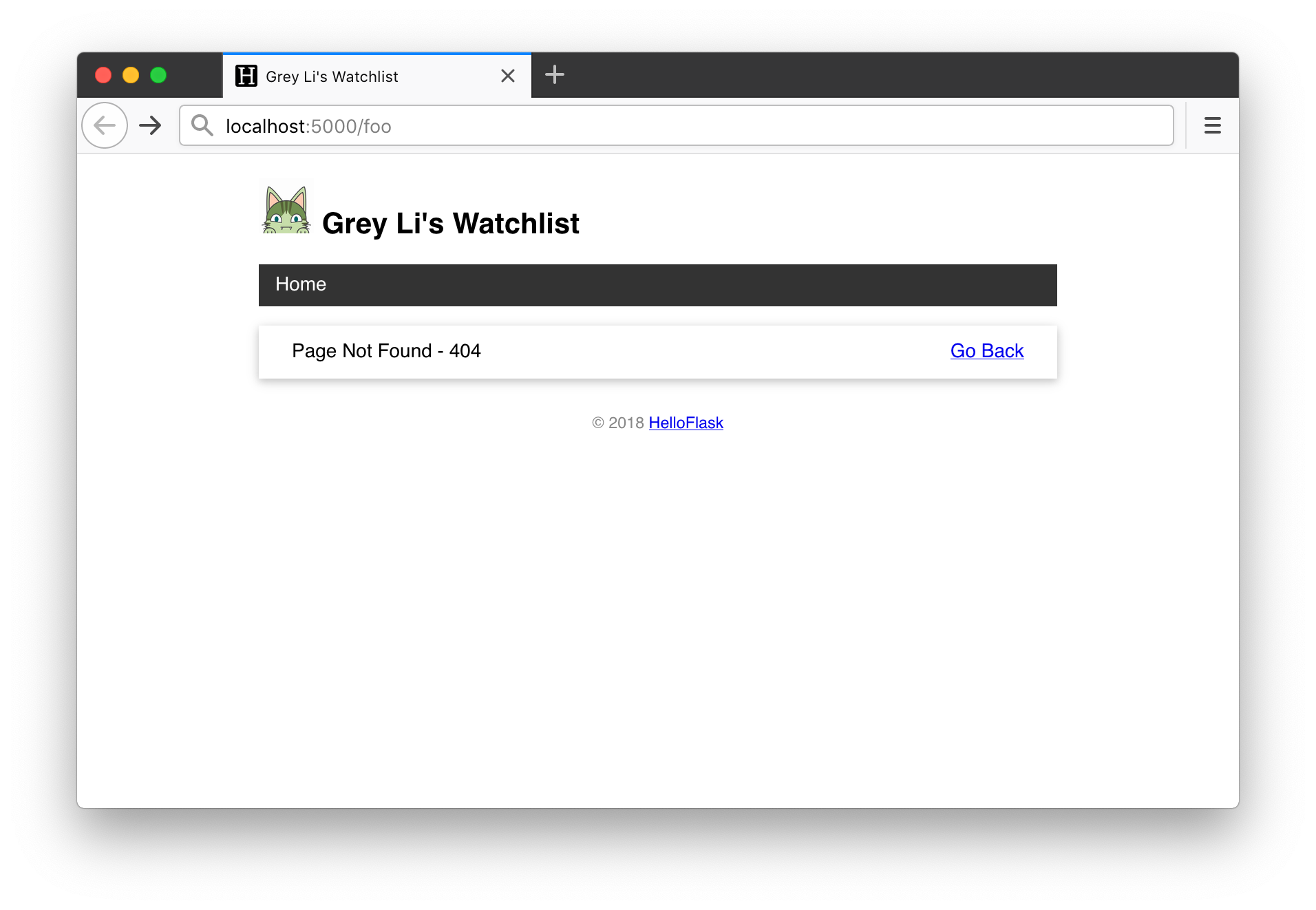
At this point, two problems become apparent:
- Both the error page and the home page need
user, so both handlers query the database and pass it to the template. Every page needs the user's name for its heading, so adding more pages would mean repeating this in every view function. - The error and home page templates share a lot of HTML: the
<head>contents, heading, footer, and more. Repetition creates unnecessary work and makes updates harder. Changing the footer, for example, would require editing every page.
There are better ways to handle both problems. Let's look at them in turn.
Template context processors
When several templates need the same variable, register a template context processor with app.context_processor:
app.py: a template context processor
from sqlalchemy import select

@app.context_processor
def inject_user():  # You can choose any function name
    user = db.session.execute(select(User)).scalar()
    return dict(user=user)  # Return a dictionary, equivalent to return {'user': user}
The dictionary returned by this function makes its keys and values available in every template's context. Templates can then use these variables directly.
Remove the user queries from the 404 handler and the home page view, along with the user keyword arguments to render_template():
@app.context_processor
def inject_user():
    user = db.session.execute(select(User)).scalar()
    return dict(user=user)


@app.errorhandler(404)
def page_not_found(error):
    return render_template('404.html'), 404


@app.route('/')
def index():
    movies = db.session.execute(select(Movie)).scalars().all()
    return render_template('index.html', movies=movies)
Any templates we create from now on can use user directly too.
Organize templates with inheritance
Jinja2 supports template inheritance to help us avoid repeating template content. It works much like class inheritance in Python. We define a parent template, usually called the base template, containing the overall HTML structure and shared parts such as navigation, the heading, and the footer. Child templates use extends to name the base template they inherit from.
Parts of the base template that child templates need to fill in or replace are defined as blocks. A block begins with {% block block_name %} and ends with {% endblock %} or {% endblock block_name %}. Defining a block with the same name in a child template lets you replace or extend the content at that position in the base template.
Write the base template
Here is our new base.html:
templates/base.html: the base template
<!DOCTYPE html>
<html lang="en">
<head>
{% block head %}
<meta charset="utf-8">
<meta name="viewport" content="width=device-width, initial-scale=1.0">
<title>{{ user.name }}'s Watchlist</title>
<link rel="icon" href="{{ url_for('static', filename='favicon.ico') }}">
<link rel="stylesheet" href="{{ url_for('static', filename='style.css') }}" type="text/css">
{% endblock %}
</head>
<body>
<h2>
<img alt="Avatar" class="avatar" src="{{ url_for('static', filename='images/avatar.png') }}">
{{ user.name }}'s Watchlist
</h2>
<nav>
    <ul>
        <li><a href="{{ url_for('index') }}">Home</a></li>
    </ul>
</nav>
{% block content %}{% endblock %}
<footer>
<small>© 2018 <a href="http://helloflask.com/book/3">HelloFlask</a></small>
</footer>
</body>
</html>
We defined two blocks: head, containing the contents of <head></head>, and content, where child templates put their main page content. In a more complex project, you can define additional blocks so child templates can customize more parts of the page. You can choose any names for your blocks.
Before writing the child templates, let's look at two additions to the base template.
First, the new <meta> element configures the viewport so the page scales to the device's width, improving the experience on mobile devices:
<meta name="viewport" content="width=device-width, initial-scale=1.0">
Second, the page now has a navigation bar:
<nav>
<ul>
<li><a href="{{ url_for('index') }}">Home</a></li>
</ul>
</nav>
Here is the CSS for the navigation bar:
nav ul {
    list-style-type: none;
    margin: 0;
    padding: 0;
    overflow: hidden;
    background-color: #333;
}

nav li {
    float: left;
}

nav li a {
    display: block;
    color: white;
    text-align: center;
    padding: 8px 12px;
    text-decoration: none;
}

nav li a:hover {
    background-color: #111;
}
Write child templates
With a base template in place, child templates become much simpler. Here is the updated home page template, index.html:
templates/index.html: the home page template inheriting from the base template
{% extends 'base.html' %}

{% block content %}
<p>{{ movies|length }} Titles</p>
<ul class="movie-list">
    {% for movie in movies %}
    <li>{{ movie.title }} - {{ movie.year }}
        <span class="float-right">
            <a class="imdb" href="https://www.imdb.com/find?q={{ movie.title }}" target="_blank" title="Find this movie on IMDb">IMDb</a>
        </span>
    </li>
    {% endfor %}
</ul>
<img alt="Walking Totoro" class="totoro" src="{{ url_for('static', filename='images/totoro.gif') }}" title="to~to~ro~">
{% endblock %}
The first line uses extends to declare that this template inherits from base.html. It then defines the content block, whose contents appear at the position of the content block in the base template.
Tip A child block replaces the parent block's contents by default. To keep the parent's contents and add to them, call
super()in the child block—for example, add{{ super() }}at the start of the block.
The 404 template follows the same pattern:
templates/404.html: the 404 template inheriting from the base template
{% extends 'base.html' %}

{% block content %}
<ul class="movie-list">
    <li>
        Page Not Found - 404
        <span class="float-right">
            <a href="{{ url_for('index') }}">Go Back</a>
        </span>
    </li>
</ul>
{% endblock %}
Add IMDb links
The home page template also adds an IMDb link to the right of each movie entry:
<span class="float-right">
    <a class="imdb" href="https://www.imdb.com/find?q={{ movie.title }}" target="_blank" title="Find this movie on IMDb">IMDb</a>
</span>
The href points to IMDb's search page. The query parameter q supplies the search term—in this case, the movie's title.
Here is the corresponding CSS:
.float-right {
    float: right;
}

.imdb {
    font-size: 12px;
    font-weight: bold;
    color: black;
    text-decoration: none;
    background: #F5C518;
    border-radius: 5px;
    padding: 3px 5px;
}
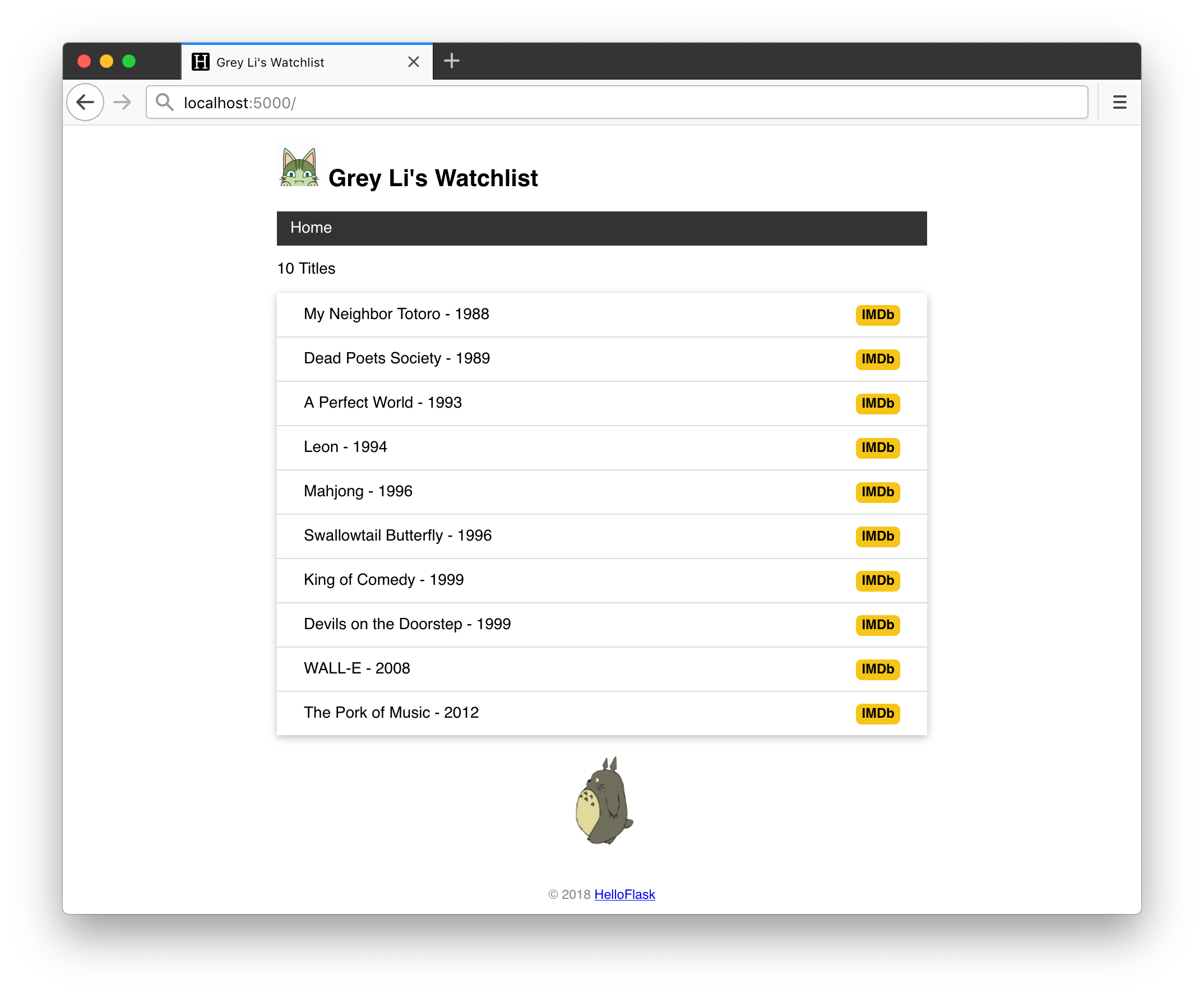
Our home page now looks like this:
Chapter summary
In this chapter, we learned how Jinja2 template inheritance removes repeated code and makes future templates easier to write. Before we finish, commit the code:
$ git add .
$ git commit -m "Add base template and error template"
$ git push
Going further
- We used a custom error page to introduce two important techniques, rather than focusing on error pages themselves. We only handled 404 errors here. Try writing handlers and templates for two other common errors: 400 and 500.
abort()accepts adescriptionargument for a custom error message. In the error handler, read it fromerror.descriptionand render it on the error page. Theget_or_404()andfirst_or_404()helpers introduced in chapter 5 also acceptdescription.- We use IMDb because the example application and movie titles are in English. For Chinese titles, you could use Douban Movies or Mtime instead. Douban's search URL is https://movie.douban.com/subject_search?search_text=关键词, where 关键词 means “keyword”. The corresponding
hrefvalue ishttps://movie.douban.com/subject_search?search_text={{ movie.title }}. - Since other page templates inherit from the base template, any shared variables it needs should also be made available through a template context processor.